Remote / Cloud Monitoring
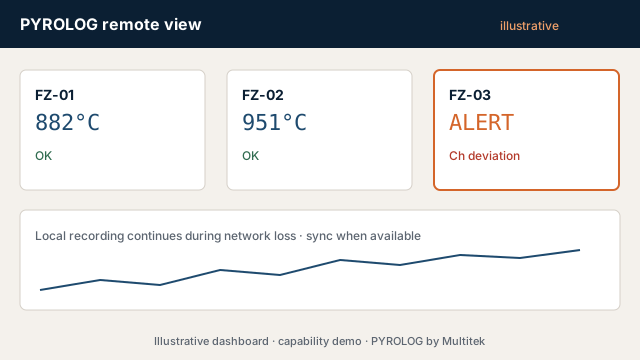
Live view, history and alerts where required — with local recording that continues when the network does not.
Customer outcome
Visibility for the HOD and quality team without making the batch depend on the internet.
Illustrative architecture
Local acquisition & store → LAN/cloud sync → dashboard / alerts → history & reports
Practical situations
Illustrative remote-visibility situations this solution can address.
- Want exception messages without sitting beside the furnace
- Cloud drop mid-batch must not lose the log
- IT policy varies — architecture must follow plant rules
- Multi-site view needed without one brittle link
Connectivity and resilience choices
Decide what remains local, what can be viewed remotely and how interruptions are made visible and recoverable.
- Live view / history / alerts / report access mix
- LAN, cloud-managed or hybrid
- Local fallback during connectivity loss
- Internet and IT constraints captured in RFQ
- Cloud, local, LAN and hybrid architectures selected to suit the plant, IT policy and support requirement
Lifecycle: AMC, calibration, repair, remote assistance and upgrades. (Additional engineering scoped separately.)
Resilient visibility
Remote access should add reach, not a new single point of failure
Local responsibilities
- Acquire and timestamp the furnace data
- Retain records during LAN/WAN loss
- Show local acquisition, storage and backlog health
- Forward safely after recovery
Remote responsibilities
- Live and historical views for authorised users
- Exception notifications through agreed channels
- Report/history access where required
- Clear stale-data and last-contact indication
Data architecture is designed around plant and IT policy—local, networked, cloud-managed or hybrid. The project agreement defines hosting, access, backup, retention, recovery and support responsibilities so ownership remains clear throughout the system lifecycle.
See what should happen when cloud/LAN fails and use the reliability checklist before configuring the branch.
Continue in Configure
This solution preselects the matching RFQ branch. Submit early if you already know enough.
Configure Pyrolog