Multi-Furnace Monitoring
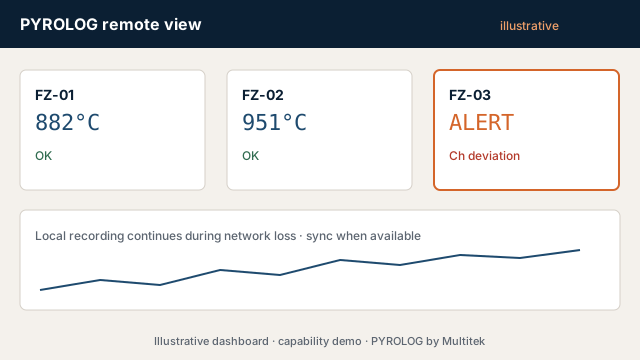
One supervisory picture across multiple furnaces and work zones — local, LAN or cloud as the plant requires.
Customer outcome
Compare status, exceptions and history without opening six disconnected recorders.
Illustrative architecture
Per-furnace acquisition → plant supervisory layer → alarms & reports → archive
Practical situations
Illustrative fleet-monitoring situations this solution can address.
- Each furnace has its own orphaned logger
- No common exception view
- Reports differ by furnace and operator
- Expansion to another furnace should not mean a new silo
Fleet and access choices
Standardise the useful shared view while preserving the identity, autonomy and history of each furnace.
- Number of furnaces at a broad level
- Shared or per-furnace reporting
- Central alarms with local detail
- Room to add furnaces later
- Integration with existing plant systems where data-side
Lifecycle: AMC, calibration, repair, remote assistance and upgrades. (Additional engineering scoped separately.)
Supervisory architecture
Local integrity below, useful comparison above
Each furnace can retain its measurement record while a common layer normalises the information an HOD, quality team or maintenance engineer needs across the fleet.
Per furnace
Channel acquisition, local storage, batch/stage context, source health and store-and-forward.
Plant data layer
Shared identities, time, history, alarm mapping and a repeatable onboarding pattern for another furnace.
Supervisory view
Status, exceptions, selected trends, retrieval and report access without showing every value at once.
Existing recorder, PLC or SCADA data may be integrated where practical and within the data-side scope. The first RFQ only needs a broad furnace count, current system picture, desired common outputs and any known IT constraints.
Read the multi-furnace architecture guide for store-and-forward, time and normalisation questions.
Continue in Configure
This solution preselects the matching RFQ branch. Submit early if you already know enough.
Configure Pyrolog